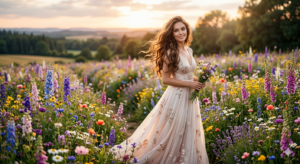
Midjourneyで背景・風景を作るプロンプト集【壁紙・ゲーム・YouTube背景】
Midjourneyで背景や風景画像を作りたいけど、「プロンプトが思いつかない」と悩んでいませんか?
本記事では、Midjourneyで使える背景・風景生成プロンプトをコピペOKの形式でまとめました。
「PC壁紙」「ゲーム背景」「YouTubeのサムネイル素材」など、幅広い用途で使えるプロンプトをジャンル別に紹介します。
背景プロンプトの基本構造
高品質な背景を生成するには、以下の要素を組み合わせます。
・場所(forest / city / room)
・スタイル(photorealistic / anime style / watercolor)
・ライティング(golden hour / sunset / neon lights)
・カメラ(wide shot / aerial view / panoramic)
例:
fantasy forest landscape, glowing mushrooms, night sky, bioluminescent, ethereal lighting --ar 16:9
コピペで使える背景プロンプト集
自然・風景
mountain landscape, snow peak, clear lake, blue sky, cinematic lighting, 8k --ar 16:9
beach at sunset, palm trees, calm waves, golden hour, photorealistic --ar 16:9
都市・建築
cyberpunk city, rainy night, neon signs, wet street, futuristic architecture --ar 16:9
classic european street, cobblestones, cozy cafe, summer afternoon, anime style --ar 16:9
ファンタジー
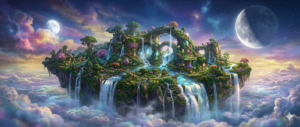
magical castle in the clouds, ethereal lighting, epic scale, concept art --ar 16:9
crystal caves, glowing minerals, mysterious atmosphere, highly detailed --ar 16:9
室内・インテリア
minimalist living room, large windows, mountain view, modern furniture, soft lighting --ar 16:9
cozy library at night, fireplace, old books, warm lighting, dslr --ar 16:9
背景画像のクオリティを上げるコツ
・アスペクト比を忘れずに: 壁紙なら --ar 16:9、スマホなら --ar 9:16。
・「panoramic」や「wide shot」を使う: 広がりを持たせた背景になります。
・季節や時間を指定する: autumn leaves や golden hour などで雰囲気が劇的に変わります。
・スタイルを明確にする: 実写なら photorealistic、イラストなら anime style。
用途別のおすすめ形式
・PC壁紙: --ar 16:9
・YouTubeサムネイル: --ar 16:9
- スマホ壁紙:
--ar 9:16 - SNSアイコン背景:
--ar 1:1
関連記事
・Midjourneyプロンプト100選
→ /midjourney-100-prompts-selection
・リアル写真プロンプト
→ /midjourney-realistic-photo-prompts
まとめ
Midjourneyのプロンプトを工夫すれば、理想の背景を思い通りに生成できます。
まずは本記事のプロンプトをコピペしつつ、自分好みに時間を変えたりスタイルを微調整したりして、最高の一枚を完成させてください。